Flavor Manager
Overview
The OpenStack Flavor Manager manages the creation, modification, and removal of flavors. It operates as a facilitator that orchestrates compute flavors in alignment with the standard SCS-0100: Flavor Naming by utilizing YAML files provided by the SCS project.
Installation
The OpenStack Flavor Manager can be used via the OSISM CLI. This is the preferred way to use it.
No installation is then required. It is used via osism manage flavors.
For use independent of OSISM install the openstack-flavor-manager package with pip. It is likely
that additional dependencies such as pkg-config or libssl-dev must be installed in advance.
$ pip install openstack-flavor-manager
Or clone the repository osism/openstack-flavor-manager and use the OpenStack Flavor Manager from source with tox.
$ tox -- --help
Usage
There must be a clouds.yml and a secure.yml file in the directory where the OpenStack Flavor Manager
will be executed. When using the OSISM CLI, the files are expected in environments/openstack
in your configuration repository.
The cloud profile to be used can be specified via the optional --cloud parameter.
By default the cloud profile with the name admin is used. It must be possible to create and delete
flavors with the used cloud credentials.
$ openstack-flavor-manager --help

 Usage: openstack-flavor-manager [OPTIONS]

╭─ Options ────────────────────────────────────────────────────────────────────────────────────╮
│ --name               TEXT  Name of flavor definitions. [default: scs]                        │
│ --debug                    Enable debug logging.                                             │
│ --cloud              TEXT  Cloud name in clouds.yaml. [default: admin]                       │
│ --recommended              Create recommended flavors.                                       │
│ --help                     Show this message and exit.                                       │
╰──────────────────────────────────────────────────────────────────────────────────────────────╯
To create the mandatory flavors by the SCS-0100: Flavor Naming standard, you run:
$ openstack-flavor-manager
To create the recommended flavors by the SCS Flavor Naming Standard, you run:
$ openstack-flavor-manager --recommended
The output should look like this:
2023-09-20 13:03:14 | INFO     | Flavor SCS-1V-4 created
2023-09-20 13:03:14 | INFO     | Flavor SCS-2V-8 created
2023-09-20 13:03:14 | INFO     | Flavor SCS-4V-16 created
2023-09-20 13:03:14 | INFO     | Flavor SCS-8V-32 created
...
All recommended flavors are now be available in your OpenStack environment. Check yourself by running:
$ openstack --os-cloud admin flavor list
$ openstack --os-cloud admin flavor show SCS-2V-4-20s
+----------------------------+---------------------------------------------------------------------------------------------------------------------------------+
| Field                      | Value                                                                                                                           |
+----------------------------+---------------------------------------------------------------------------------------------------------------------------------+
| OS-FLV-DISABLED:disabled   | False                                                                                                                           |
| OS-FLV-EXT-DATA:ephemeral  | 0                                                                                                                               |
| access_project_ids         | None                                                                                                                            |
| description                | None                                                                                                                            |
| disk                       | 20                                                                                                                              |
| id                         | 652e3a6c-330e-4ee3-922b-b49c3c093062                                                                                            |
| name                       | SCS-2V-4-20s                                                                                                                    |
| os-flavor-access:is_public | True                                                                                                                            |
| properties                 | hw_rng:allowed='true', scs:cpu-type='shared-core', scs:disk0-type='ssd', scs:name-v1='SCS-2V:4:20s', scs:name-v2='SCS-2V-4-20s' |
| ram                        | 4096                                                                                                                            |
| rxtx_factor                | 1.0                                                                                                                             |
| swap                       | 0                                                                                                                               |
| vcpus                      | 2                                                                                                                               |
+----------------------------+---------------------------------------------------------------------------------------------------------------------------------+
Definitions
There are two flavor definitions available by default. One for SCS and one for OSISM. Each definition has its own set of mandatory and recommended flavors. The definition of OSISM contains all definitions of SCS as well as some others.
To run the OpenStack Flavor Manager with a specific definition, either scs or osism,
use the optional --name parameter. By default the SCS-0100: Flavor Naming
standard definition will be used.
$ openstack-flavor-manager --name osism
Name parser and generator
A generator and parser for flavor names according to the SCS standard is available on flavors.scs.community.
The flavor name SCS-2V-4-20s is inserted in field Flavor name:
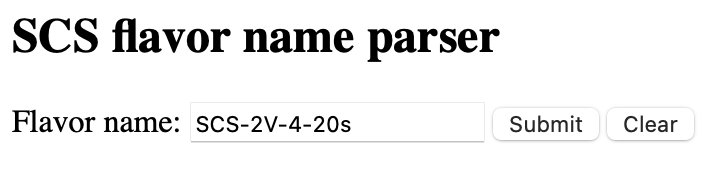
The flavor SCS-2V-4-20s translated is
2 generic x86-64 vCPUs with 4.0 GiB RAM and SSD 20GB root volume:
